Oracle Access Manager (OAM) 11G R2 PS3 (11.1.2.3.0) OAMCONSOLE Screens
Home Page - Launchpad
SSO Agent - WebGate Registration Page
Create Application Domain Page
The blog covers various articles and posts on Cloud, Big Data Analytics, Data Science, Machine Learning, DevOps, Full Stack Development, Java and Middleware Technologies
Saturday, September 10, 2016
Oracle Access Manager (OAM) 11G R2 PS3 (11.1.2.3.0) OAMCONSOLE failing to start along with Oracle Identity Manager OIM 11G R2 PS3 (11.1.2.3.0)
Recently I ran into this issue wherein oamconsole application would fail to start and go into FAILED state instead of ACTIVE state.
Upon further investigation the root cause were :-
Solution :-
It is very important that you get all the steps right in the first attempt before starting the AdminServer for the first time because this error is unrecoverable if bootstrap fails on first adminserver startup.
-----------------Error Messages---------------------------------------------------------------------
Error 1
Exception [EclipseLink-4002] (Eclipse Persistence Services - 2.3.1.v20111018-r10243): org.eclipse.persistence.exceptions.DatabaseException
Internal Exception: java.sql.SQLIntegrityConstraintViolationException: ORA-00001: unique constraint (OAM_OAM.JOURNAL_CHANGES_UK0) violated
Error Code: 1
Call: INSERT INTO JOURNAL_CHANGES (ID, CHANGE, CHANGE_ORDER, CHANGE_SEQ, ENTITY_UID, ENTITY_VERSION, JOURNAL_ID, NAME_PATH, OPERATION, type) VALUES (?, ?, ?, ?, ?, ?, ?, ?, ?, ?)
bind => [10 parameters bound]
Query: InsertObjectQuery(oracle.security.am.foundation.entity.admin.provider.db.beans.JournalChanges@41462a1b)
at org.eclipse.persistence.exceptions.DatabaseException.sqlException(DatabaseException.java:324)
at org.eclipse.persistence.internal.databaseaccess.DatabaseAccessor.executeDirectNoSelect(DatabaseAccessor.java:840)
at org.eclipse.persistence.internal.databaseaccess.DatabaseAccessor.executeNoSelect(DatabaseAccessor.java:906)
at org.eclipse.persistence.internal.databaseaccess.DatabaseAccessor.basicExecuteCall(DatabaseAccessor.java:592)
at org.eclipse.persistence.internal.databaseaccess.DatabaseAccessor.executeCall(DatabaseAccessor.java:535)
at org.eclipse.persistence.internal.sessions.AbstractSession.basicExecuteCall(AbstractSession.java:1717)
at org.eclipse.persistence.sessions.server.ClientSession.executeCall(ClientSession.java:253)
Error 2
oracle.security.am.common.utilities.exception.AmRuntimeException: Component Bootstrap Failed
at oracle.security.am.lifecycle.ApplicationLifecycle.contextInitialized(ApplicationLifecycle.java:117)
....
Caused By: java.lang.reflect.InvocationTargetException
at sun.reflect.NativeMethodAccessorImpl.invoke0(Native Method)
at sun.reflect.NativeMethodAccessorImpl.invoke(NativeMethodAccessorImpl.java:57)
at sun.reflect.DelegatingMethodAccessorImpl.invoke(DelegatingMethodAccessorImpl.java:43)
.....
Caused By: oracle.security.am.install.AMInstallException: Invalid OAM Keystore configuration
at oracle.security.am.install.startup.AMKeyStoreValidator.execute(AMKeyStoreValidator.java:58)
at oracle.security.am.install.startup.OamInstallTopologyConfigListener.doMandatoryValidations(OamInstallTopologyConfigListener.java:141)
at oracle.security.am.install.startup.OamInstallTopologyConfigListener.oamSysConfigOperations(OamInstallTopologyConfigListener.java:129)
at oracle.security.am.install.startup.OamInstallTopologyConfigListener.onServerStartupWLS(OamInstallTopologyConfigListener.java:84)
at sun.reflect.NativeMethodAccessorImpl.invoke0(Native Method)
.....
Unable to set the activation state to true for the application 'oam_admin [Version=11.1.2.0.0]'
--------------------------------------------------------------------------------------------------------------------------------------------------
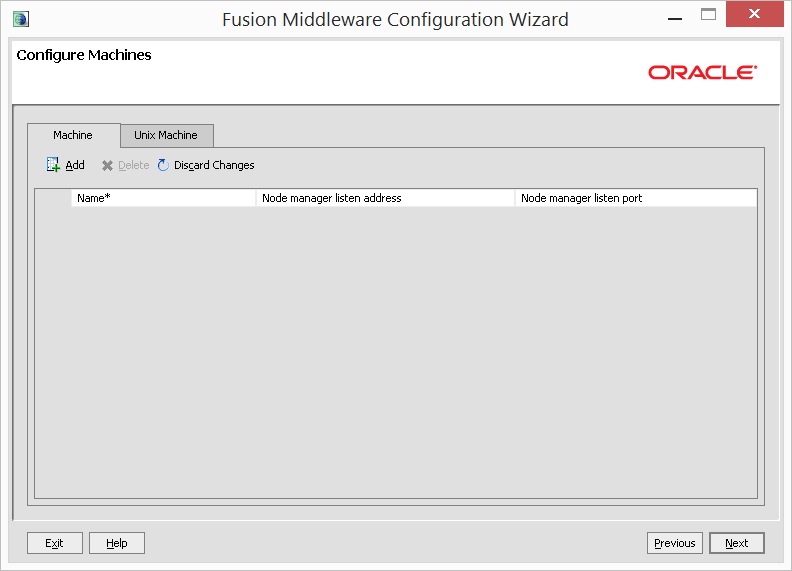
Some screenshot below for the solution implementation
Upon further investigation the root cause were :-
- OIM and OAM cannot co-exist together in the same domain
- -DDISABLE_CONFIG_ENTITY=true needs to be set if it is windows environment (in my case)
- DEFAULT_MEM_ARGS must be 4GB or more
- OPSS Schema should not be used by OIM & OAM
Solution :-
- Run config.sh or config.cmd to recreate a new domain exclusively for OAM.
- In SetDomainEnv file add the below line
- In setOAMDomainEnv file change the default memory args as below
- Recreate the OPSS schema under a new prefix and use that in the domain configuration wizard as per step 1.
- Run configureSecurityStore.py right after the domain creation without any errors.
It is very important that you get all the steps right in the first attempt before starting the AdminServer for the first time because this error is unrecoverable if bootstrap fails on first adminserver startup.
-----------------Error Messages---------------------------------------------------------------------
Error 1
Exception [EclipseLink-4002] (Eclipse Persistence Services - 2.3.1.v20111018-r10243): org.eclipse.persistence.exceptions.DatabaseException
Internal Exception: java.sql.SQLIntegrityConstraintViolationException: ORA-00001: unique constraint (OAM_OAM.JOURNAL_CHANGES_UK0) violated
Error Code: 1
Call: INSERT INTO JOURNAL_CHANGES (ID, CHANGE, CHANGE_ORDER, CHANGE_SEQ, ENTITY_UID, ENTITY_VERSION, JOURNAL_ID, NAME_PATH, OPERATION, type) VALUES (?, ?, ?, ?, ?, ?, ?, ?, ?, ?)
bind => [10 parameters bound]
Query: InsertObjectQuery(oracle.security.am.foundation.entity.admin.provider.db.beans.JournalChanges@41462a1b)
at org.eclipse.persistence.exceptions.DatabaseException.sqlException(DatabaseException.java:324)
at org.eclipse.persistence.internal.databaseaccess.DatabaseAccessor.executeDirectNoSelect(DatabaseAccessor.java:840)
at org.eclipse.persistence.internal.databaseaccess.DatabaseAccessor.executeNoSelect(DatabaseAccessor.java:906)
at org.eclipse.persistence.internal.databaseaccess.DatabaseAccessor.basicExecuteCall(DatabaseAccessor.java:592)
at org.eclipse.persistence.internal.databaseaccess.DatabaseAccessor.executeCall(DatabaseAccessor.java:535)
at org.eclipse.persistence.internal.sessions.AbstractSession.basicExecuteCall(AbstractSession.java:1717)
at org.eclipse.persistence.sessions.server.ClientSession.executeCall(ClientSession.java:253)
Error 2
oracle.security.am.common.utilities.exception.AmRuntimeException: Component Bootstrap Failed
at oracle.security.am.lifecycle.ApplicationLifecycle.contextInitialized(ApplicationLifecycle.java:117)
....
Caused By: java.lang.reflect.InvocationTargetException
at sun.reflect.NativeMethodAccessorImpl.invoke0(Native Method)
at sun.reflect.NativeMethodAccessorImpl.invoke(NativeMethodAccessorImpl.java:57)
at sun.reflect.DelegatingMethodAccessorImpl.invoke(DelegatingMethodAccessorImpl.java:43)
.....
Caused By: oracle.security.am.install.AMInstallException: Invalid OAM Keystore configuration
at oracle.security.am.install.startup.AMKeyStoreValidator.execute(AMKeyStoreValidator.java:58)
at oracle.security.am.install.startup.OamInstallTopologyConfigListener.doMandatoryValidations(OamInstallTopologyConfigListener.java:141)
at oracle.security.am.install.startup.OamInstallTopologyConfigListener.oamSysConfigOperations(OamInstallTopologyConfigListener.java:129)
at oracle.security.am.install.startup.OamInstallTopologyConfigListener.onServerStartupWLS(OamInstallTopologyConfigListener.java:84)
at sun.reflect.NativeMethodAccessorImpl.invoke0(Native Method)
.....
Unable to set the activation state to true for the application 'oam_admin [Version=11.1.2.0.0]'
--------------------------------------------------------------------------------------------------------------------------------------------------
Some screenshot below for the solution implementation
Tuesday, September 6, 2016
Linux important files and directory structure
Linux Directory Structure
Each of the above directory (which is a file, at the first place) contains important information, required for booting to device drivers, configuration files, etc. Describing briefly the purpose of each directory, we are starting hierarchically.
/bin : All the executable binary programs (file) required during booting, repairing, files required to run into single-user-mode, and other important, basic commands viz., cat, du, df, tar, rpm, wc, history, etc.
/boot : Holds important files during boot-up process, including Linux Kernel.
/dev : Contains device files for all the hardware devices on the machine e.g., cdrom, cpu, etc
/etc : Contains Application’s configuration files, startup, shutdown, start, stop script for every individual program.
/home : Home directory of the users. Every time a new user is created, a directory in the name of user is created within home directory which contains other directories like Desktop, Downloads, Documents, etc.
/lib : The Lib directory contains kernel modules and shared library images required to boot the system and run commands in root file system.
/lost+found : This Directory is installed during installation of Linux, useful for recovering files which may be broken due to unexpected shut-down.
/media : Temporary mount directory is created for removable devices viz., media/cdrom.
/mnt : Temporary mount directory for mounting file system.
/opt : Optional is abbreviated as opt. Contains third party application software. Viz., Java, etc.
/proc : A virtual and pseudo file-system which contains information about running process with a particular Process-id aka pid.
/root : This is the home directory of root user and should never be confused with ‘/‘
/run : This directory is the only clean solution for early-runtime-dir problem.
/sbin : Contains binary executable programs, required by System Administrator, for Maintenance. Viz., iptables, fdisk, ifconfig, swapon, reboot, etc.
/srv : Service is abbreviated as ‘srv‘. This directory contains server specific and service related files.
/sys : Modern Linux distributions include a /sys directory as a virtual filesystem, which stores and allows modification of the devices connected to the system.
/tmp :System’s Temporary Directory, Accessible by users and root. Stores temporary files for user and system, till next boot.
/usr : Contains executable binaries, documentation, source code, libraries for second level program.
/var : Stands for variable. The contents of this file is expected to grow. This directory contains log, lock, spool, mail and temp files.
Exploring Important file, their location and their Usability
Linux is a complex system which requires a more complex and efficient way to start, stop, maintain and reboot a system unlike Windows. There is a well defined configuration files, binaries, man pages, info files, etc. for every process in Linux.
/boot/vmlinuz : The Linux Kernel file.
/dev/hda : Device file for the first IDE HDD (Hard Disk Drive)
/dev/hdc : Device file for the IDE Cdrom, commonly
/dev/null : A pseudo device, that don’t exist. Sometime garbage output is redirected to /dev/null, so that it gets lost, forever.
/etc/bashrc : Contains system defaults and aliases used by bash shell.
/etc/crontab : A shell script to run specified commands on a predefined time Interval.
/etc/exports : Information of the file system available on network.
/etc/fstab : Information of Disk Drive and their mount point.
/etc/group : Information of Security Group.
/etc/grub.conf : grub bootloader configuration file.
/etc/init.d : Service startup Script.
/etc/lilo.conf : lilo bootloader configuration file.
/etc/hosts : Information of Ip addresses and corresponding host names.
/etc/hosts.allow : List of hosts allowed to access services on the local machine.
/etc/host.deny : List of hosts denied to access services on the local machine.
/etc/inittab : INIT process and their interaction at various run level.
/etc/issue : Allows to edit the pre-login message.
/etc/modules.conf : Configuration files for system modules.
/etc/motd : motd stands for Message Of The Day, The Message users gets upon login.
/etc/mtab : Currently mounted blocks information.
/etc/passwd : Contains password of system users in a shadow file, a security implementation.
/etc/printcap : Printer Information
/etc/profile : Bash shell defaults
/etc/profile.d : Application script, executed after login.
/etc/rc.d : Information about run level specific script.
/etc/rc.d/init.d : Run Level Initialisation Script.
/etc/resolv.conf : Domain Name Servers (DNS) being used by System.
/etc/securetty : Terminal List, where root login is possible.
/etc/skel : Script that populates new user home directory.
/etc/termcap : An ASCII file that defines the behaviour of Terminal, console and printers.
/etc/X11 : Configuration files of X-window System.
/usr/bin : Normal user executable commands.
/usr/bin/X11 : Binaries of X windows System.
/usr/include : Contains include files used by ‘c‘ program.
/usr/share : Shared directories of man files, info files, etc.
/usr/lib : Library files which are required during program compilation.
/usr/sbin : Commands for Super User, for System Administration.
/proc/cpuinfo : CPU Information
/proc/filesystems : File-system Information being used currently.
/proc/interrupts : Information about the current interrupts being utilised currently.
/proc/ioports : Contains all the Input/Output addresses used by devices on the server.
/proc/meminfo : Memory Usages Information.
/proc/modules : Currently using kernel module.
/proc/mount : Mounted File-system Information.
/proc/stat : Detailed Statistics of the current System.
/proc/swaps : Swap File Information.
/version : Linux Version Information.
/var/log/lastlog : log of last boot process.
/var/log/messages : log of messages produced by syslog daemon at boot.
/var/log/wtmp : list login time and duration of each user on the system currently.
Each of the above directory (which is a file, at the first place) contains important information, required for booting to device drivers, configuration files, etc. Describing briefly the purpose of each directory, we are starting hierarchically.
/bin : All the executable binary programs (file) required during booting, repairing, files required to run into single-user-mode, and other important, basic commands viz., cat, du, df, tar, rpm, wc, history, etc.
/boot : Holds important files during boot-up process, including Linux Kernel.
/dev : Contains device files for all the hardware devices on the machine e.g., cdrom, cpu, etc
/etc : Contains Application’s configuration files, startup, shutdown, start, stop script for every individual program.
/home : Home directory of the users. Every time a new user is created, a directory in the name of user is created within home directory which contains other directories like Desktop, Downloads, Documents, etc.
/lib : The Lib directory contains kernel modules and shared library images required to boot the system and run commands in root file system.
/lost+found : This Directory is installed during installation of Linux, useful for recovering files which may be broken due to unexpected shut-down.
/media : Temporary mount directory is created for removable devices viz., media/cdrom.
/mnt : Temporary mount directory for mounting file system.
/opt : Optional is abbreviated as opt. Contains third party application software. Viz., Java, etc.
/proc : A virtual and pseudo file-system which contains information about running process with a particular Process-id aka pid.
/root : This is the home directory of root user and should never be confused with ‘/‘
/run : This directory is the only clean solution for early-runtime-dir problem.
/sbin : Contains binary executable programs, required by System Administrator, for Maintenance. Viz., iptables, fdisk, ifconfig, swapon, reboot, etc.
/srv : Service is abbreviated as ‘srv‘. This directory contains server specific and service related files.
/sys : Modern Linux distributions include a /sys directory as a virtual filesystem, which stores and allows modification of the devices connected to the system.
/tmp :System’s Temporary Directory, Accessible by users and root. Stores temporary files for user and system, till next boot.
/usr : Contains executable binaries, documentation, source code, libraries for second level program.
/var : Stands for variable. The contents of this file is expected to grow. This directory contains log, lock, spool, mail and temp files.
Exploring Important file, their location and their Usability
Linux is a complex system which requires a more complex and efficient way to start, stop, maintain and reboot a system unlike Windows. There is a well defined configuration files, binaries, man pages, info files, etc. for every process in Linux.
/boot/vmlinuz : The Linux Kernel file.
/dev/hda : Device file for the first IDE HDD (Hard Disk Drive)
/dev/hdc : Device file for the IDE Cdrom, commonly
/dev/null : A pseudo device, that don’t exist. Sometime garbage output is redirected to /dev/null, so that it gets lost, forever.
/etc/bashrc : Contains system defaults and aliases used by bash shell.
/etc/crontab : A shell script to run specified commands on a predefined time Interval.
/etc/exports : Information of the file system available on network.
/etc/fstab : Information of Disk Drive and their mount point.
/etc/group : Information of Security Group.
/etc/grub.conf : grub bootloader configuration file.
/etc/init.d : Service startup Script.
/etc/lilo.conf : lilo bootloader configuration file.
/etc/hosts : Information of Ip addresses and corresponding host names.
/etc/hosts.allow : List of hosts allowed to access services on the local machine.
/etc/host.deny : List of hosts denied to access services on the local machine.
/etc/inittab : INIT process and their interaction at various run level.
/etc/issue : Allows to edit the pre-login message.
/etc/modules.conf : Configuration files for system modules.
/etc/motd : motd stands for Message Of The Day, The Message users gets upon login.
/etc/mtab : Currently mounted blocks information.
/etc/passwd : Contains password of system users in a shadow file, a security implementation.
/etc/printcap : Printer Information
/etc/profile : Bash shell defaults
/etc/profile.d : Application script, executed after login.
/etc/rc.d : Information about run level specific script.
/etc/rc.d/init.d : Run Level Initialisation Script.
/etc/resolv.conf : Domain Name Servers (DNS) being used by System.
/etc/securetty : Terminal List, where root login is possible.
/etc/skel : Script that populates new user home directory.
/etc/termcap : An ASCII file that defines the behaviour of Terminal, console and printers.
/etc/X11 : Configuration files of X-window System.
/usr/bin : Normal user executable commands.
/usr/bin/X11 : Binaries of X windows System.
/usr/include : Contains include files used by ‘c‘ program.
/usr/share : Shared directories of man files, info files, etc.
/usr/lib : Library files which are required during program compilation.
/usr/sbin : Commands for Super User, for System Administration.
/proc/cpuinfo : CPU Information
/proc/filesystems : File-system Information being used currently.
/proc/interrupts : Information about the current interrupts being utilised currently.
/proc/ioports : Contains all the Input/Output addresses used by devices on the server.
/proc/meminfo : Memory Usages Information.
/proc/modules : Currently using kernel module.
/proc/mount : Mounted File-system Information.
/proc/stat : Detailed Statistics of the current System.
/proc/swaps : Swap File Information.
/version : Linux Version Information.
/var/log/lastlog : log of last boot process.
/var/log/messages : log of messages produced by syslog daemon at boot.
/var/log/wtmp : list login time and duration of each user on the system currently.
Monday, September 5, 2016
Most Used SQL Commands and their syntax
This post is continuation of the most useful unix commands ever used but in this i will focus on the most used SQL commands that we use on day to day basis and should be aware about there general syntax and usage. So here it goes :-
CRUD: Create, read, update and delete
NOTE: The SQL Keywords are case-insensitive ( SELECT , FROM , WHERE , etc), but are often written in all caps. However in some setups table and column names are case-sensitive.
--------STARTING WITH SELECT FIRST AS THIS IS MOST USED------------------------------------------------------------------
SELECT Queries with WHERE, AND, OR, IN, and LIKE
SELECT * (COLUMN NAMES,NAME2,NAME3) FROM TABLENAME WHERE (CONDITION(COLUMNAME='COLUMNVALUE') ; ORDER BY ; CONDITION CAN BE AND , OR , IN , LIKE
LIKE EXAMPLE
SELECT * FROM student WHERE name LIKE ‘d%K’;
NAME=DEEPAK (D%K)
ORDER BY GENERIC SYNTAX
SELECT column_name, column_name
FROM table_name
ORDER BY column_name ASC|DESC, column_name ASC|DESC;
AND & OR GENERIC SYNTAX
SELECT * FROM Customers
WHERE Country='Germany'
AND (City='Berlin' OR City='München');
WHERE CLAUSE GENERIC SYNTAX AND OPERATORS
SELECT * FROM USERS WHERE USERID=1;
Operators in The WHERE Clause
Operator Description
= Equal
<> Not equal. Note: In some versions of SQL this operator may be written as !=
> Greater than
< Less than
>= Greater than or equal
<= Less than or equal
BETWEEN Between an inclusive range
LIKE Search for a pattern
IN To specify multiple possible values for a column
---------------------------------------------------------------------------------------------------
STRUCTURE OF A TABLE
Describe TABLENAME
DESC TABLENAME
Checking performance of query
EXPLAIN QUERY PLAN SELECT * FROM student;
---------------------CREATE EXAMPLE--------------------------------
CREATE TABLE student
(
id INTEGER PRIMARY KEY,
name varchar(20),
address varchar(50),
age INTEGER
);
ONE MORE EXAMPLE
CREATE TABLE STUDENT (
id int(10) NOT NULL AUTO_INCREMENT PRIMARY KEY,
username VARCHAR(255) NULL,
password VARCHAR(255) NULL,
email VARCHAR(255) NULL,
status int(10) NOT NULL DEFAULT 0,
PRIMARY KEY(id)
);
CREATE TABLE GENERIC SYNTAX
CREATE TABLE table_name
(
column_name1 data_type(size) constraint_name,
column_name2 data_type(size) constraint_name,
column_name3 data_type(size) constraint_name,
....
);
CONSTRAINTS
NOT NULL - Indicates that a column cannot store NULL value
UNIQUE - Ensures that each row for a column must have a unique value
PRIMARY KEY - A combination of a NOT NULL and UNIQUE. Ensures that a column (or combination of two or more columns) have a unique identity which helps to find a particular record in a table more easily and quickly
FOREIGN KEY - Ensure the referential integrity of the data in one table to match values in another table
CHECK - Ensures that the value in a column meets a specific condition
DEFAULT - Specifies a default value for a column
------------------INSERT INTO -----------------------
GENERIC SYNTAX
INSERT INTO table_name
VALUES (value1,value2,value3,...);
INSERT INTO table_name (column1,column2,column3,...)
VALUES (value1,value2,value3,...);
NUMBER GENERALLY Don't NEED SINGLE QUOTES BUT STRINGS DO NEED
-------------UPDATE ----------------------------------
UPDATE table_name
SET column1=value1,column2=value2,...
WHERE some_column=some_value;
Be careful when updating records. If YOU OMIT WHERE clause, ALL COLUMNS GETS UPDATED
---------DELETE----------------------------------------------------------
GENERIC SYNTAX
DELETE FROM table_name
WHERE some_column=some_value;
ALL DATA DELETE
DELETE FROM table_name;
OR
DELETE * FROM table_name;
-----------------SOME OTHER TO REMEMBER------------------------------
ALTER TABLE
DROP TABLE
CREATE INDEX
DROP INDEX
DROP/DELETE DATABASE
--------------------Directory Tree Structure--------------------------
vdir -R
CRUD: Create, read, update and delete
NOTE: The SQL Keywords are case-insensitive ( SELECT , FROM , WHERE , etc), but are often written in all caps. However in some setups table and column names are case-sensitive.
--------STARTING WITH SELECT FIRST AS THIS IS MOST USED------------------------------------------------------------------
SELECT Queries with WHERE, AND, OR, IN, and LIKE
SELECT * (COLUMN NAMES,NAME2,NAME3) FROM TABLENAME WHERE (CONDITION(COLUMNAME='COLUMNVALUE') ; ORDER BY ; CONDITION CAN BE AND , OR , IN , LIKE
LIKE EXAMPLE
SELECT * FROM student WHERE name LIKE ‘d%K’;
NAME=DEEPAK (D%K)
ORDER BY GENERIC SYNTAX
SELECT column_name, column_name
FROM table_name
ORDER BY column_name ASC|DESC, column_name ASC|DESC;
AND & OR GENERIC SYNTAX
SELECT * FROM Customers
WHERE Country='Germany'
AND (City='Berlin' OR City='München');
WHERE CLAUSE GENERIC SYNTAX AND OPERATORS
SELECT * FROM USERS WHERE USERID=1;
Operators in The WHERE Clause
Operator Description
= Equal
<> Not equal. Note: In some versions of SQL this operator may be written as !=
> Greater than
< Less than
>= Greater than or equal
<= Less than or equal
BETWEEN Between an inclusive range
LIKE Search for a pattern
IN To specify multiple possible values for a column
---------------------------------------------------------------------------------------------------
STRUCTURE OF A TABLE
Describe TABLENAME
DESC TABLENAME
Checking performance of query
EXPLAIN QUERY PLAN SELECT * FROM student;
---------------------CREATE EXAMPLE--------------------------------
CREATE TABLE student
(
id INTEGER PRIMARY KEY,
name varchar(20),
address varchar(50),
age INTEGER
);
ONE MORE EXAMPLE
CREATE TABLE STUDENT (
id int(10) NOT NULL AUTO_INCREMENT PRIMARY KEY,
username VARCHAR(255) NULL,
password VARCHAR(255) NULL,
email VARCHAR(255) NULL,
status int(10) NOT NULL DEFAULT 0,
PRIMARY KEY(id)
);
CREATE TABLE GENERIC SYNTAX
CREATE TABLE table_name
(
column_name1 data_type(size) constraint_name,
column_name2 data_type(size) constraint_name,
column_name3 data_type(size) constraint_name,
....
);
CONSTRAINTS
NOT NULL - Indicates that a column cannot store NULL value
UNIQUE - Ensures that each row for a column must have a unique value
PRIMARY KEY - A combination of a NOT NULL and UNIQUE. Ensures that a column (or combination of two or more columns) have a unique identity which helps to find a particular record in a table more easily and quickly
FOREIGN KEY - Ensure the referential integrity of the data in one table to match values in another table
CHECK - Ensures that the value in a column meets a specific condition
DEFAULT - Specifies a default value for a column
------------------INSERT INTO -----------------------
GENERIC SYNTAX
INSERT INTO table_name
VALUES (value1,value2,value3,...);
INSERT INTO table_name (column1,column2,column3,...)
VALUES (value1,value2,value3,...);
NUMBER GENERALLY Don't NEED SINGLE QUOTES BUT STRINGS DO NEED
-------------UPDATE ----------------------------------
UPDATE table_name
SET column1=value1,column2=value2,...
WHERE some_column=some_value;
Be careful when updating records. If YOU OMIT WHERE clause, ALL COLUMNS GETS UPDATED
---------DELETE----------------------------------------------------------
GENERIC SYNTAX
DELETE FROM table_name
WHERE some_column=some_value;
ALL DATA DELETE
DELETE FROM table_name;
OR
DELETE * FROM table_name;
-----------------SOME OTHER TO REMEMBER------------------------------
ALTER TABLE
DROP TABLE
CREATE INDEX
DROP INDEX
DROP/DELETE DATABASE
--------------------Directory Tree Structure--------------------------
vdir -R
Subscribe to:
Posts (Atom)